

Global Search Bar
Click the search bar at the top of the page (or useCmd/Ctrl + P) to search across all content types. Results display matching dashboards, queries, analysts, and teams. Click into a category (e.g., “Dashboards”) to see an extended results list with sorting options.
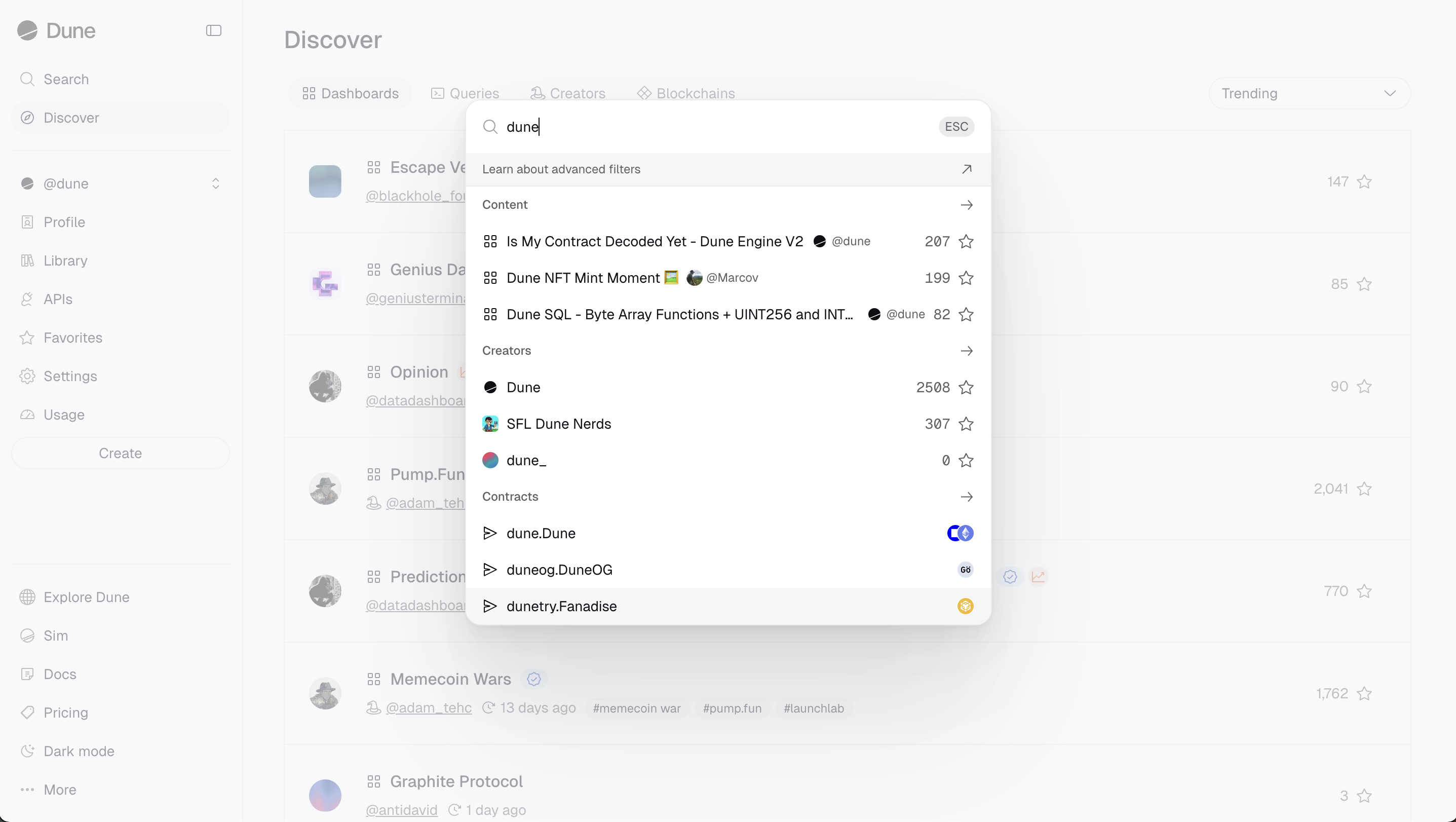
Discover Page
Navigate to the Discover page to browse content by category: dashboards, queries, analysts, and teams. For dashboards and queries, you can sort by:- Favorites: Most starred within a time period.
- Trending: Most popular within a selected period.
- New: Recently created content.
Your Library
Visit your Library to find content you have personally created. You can organize your dashboards and queries into folders, and search, filter, and sort them. The Library is context-sensitive: when viewing a team profile, it shows that team’s creations.Advanced Search Filters
You can apply advanced filters in any of Dune’s search fields (top bar or Discover sidebar). Example:nft tags:nft,opensea author:hildobby,denze or tags:usdc,usdt,dai -tags:ust
- Combine multiple filters with free text:
stablecoins tags:usdc,usdt - Use double quotes for multi-word terms:
title:"layer zero" - Exclude results with a minus prefix:
-tags:ethereum
Advanced search filters are currently supported for Dashboards and Queries only.