> ## Documentation Index
> Fetch the complete documentation index at: https://docs.dune.com/llms.txt
> Use this file to discover all available pages before exploring further.
# Search and Discover Content
> Find dashboards, queries, analysts, and data across Dune using search, discovery, and your library.
Dune has over 100K dashboards and 700K saved queries. This guide covers every way to find the content you need.
## Global Search Bar
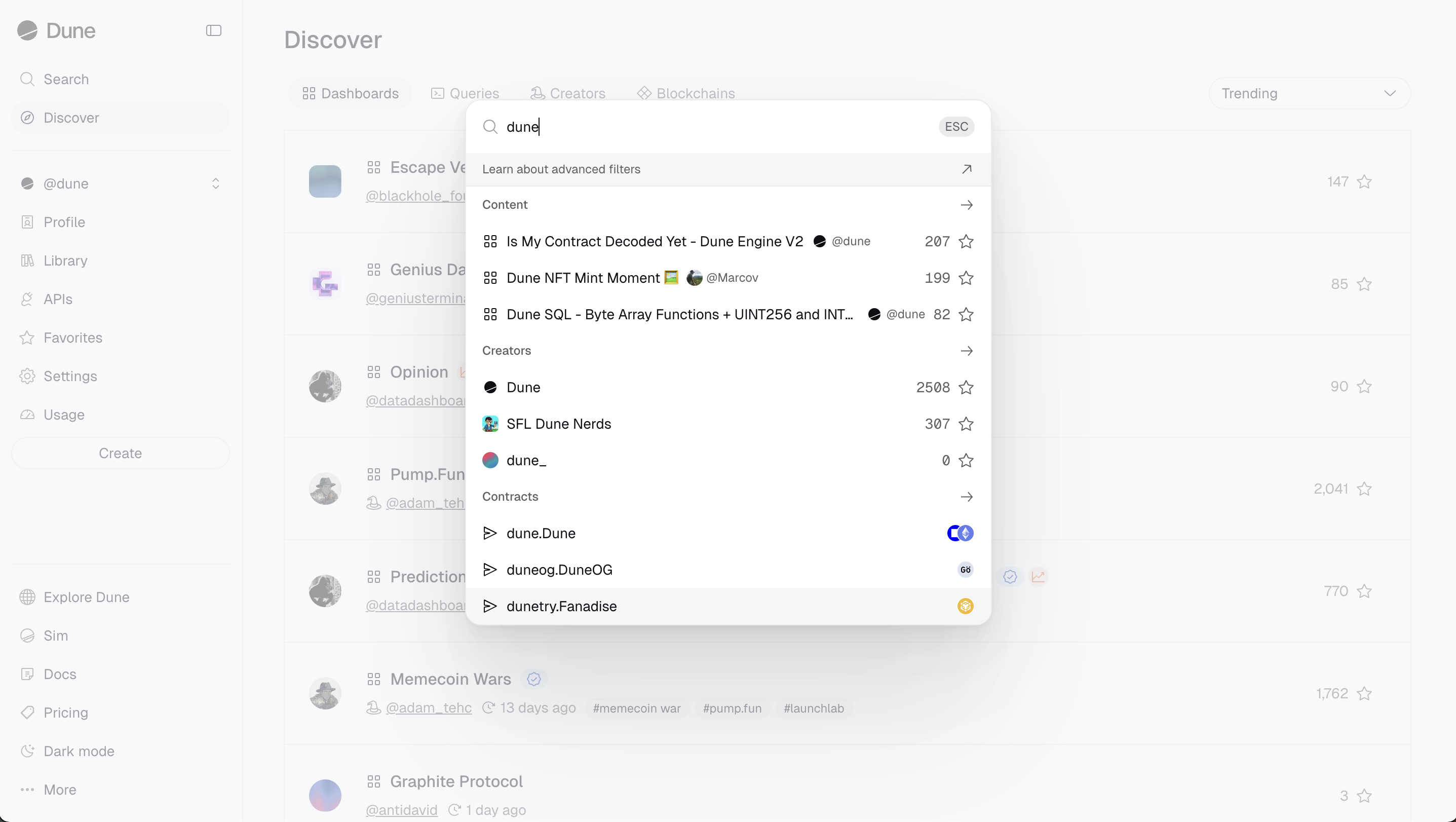
Click the search bar at the top of the page (or use `Cmd/Ctrl + P`) to search across all content types. Results display matching dashboards, queries, analysts, and teams. Click into a category (e.g., "Dashboards") to see an extended results list with sorting options.
 ## Discover Page
Navigate to the Discover page to browse content by category: dashboards, queries, analysts, and teams. For dashboards and queries, you can sort by:
* **Favorites:** Most starred within a time period.
* **Trending:** Most popular within a selected period.
* **New:** Recently created content.
By default, the Discover page shows trending dashboards from the past 4 hours -- a useful way to spot emerging topics in crypto.
## Your Library
Visit your Library to find content you have personally created. You can organize your dashboards and queries into folders, and search, filter, and sort them. The Library is context-sensitive: when viewing a team profile, it shows that team's creations.
When evaluating a dashboard from search results, check the number of stars it has and review the underlying query source code to verify its logic.
## Advanced Search Filters
You can apply advanced filters in any of Dune's search fields (top bar or Discover sidebar).
Example: `nft tags:nft,opensea author:hildobby,denze` or `tags:usdc,usdt,dai -tags:ust`
| **Filter** | **Description** | **Example** |
| ---------------- | ----------------------------------------------------------- | ------------------------------------- |
| `title` | Search by title. Wrap in double quotes if input has spaces. | `title:usdc` or `title:"dex tracker"` |
| `tags` | Search by tag or tags. | `tags:usdc` |
| `author` | Search by author. | `author:dune` |
| `description` | Queries only. Find matches in the description. | `description:usdc` |
| `code` | Queries only. Find matches in the SQL code. | `code:"from dex.trades"` |
| `created_before` | Only include matches created before a given date. | `created_before:2023-01-30` |
| `created_after` | Only include matches created after a given date. | `created_after:2023-01-30` |
| `updated_before` | Only include matches updated before a given date. | `updated_before:2023-01-30` |
| `updated_after` | Only include matches updated after a given date. | `updated_after:2023-01-30` |
* Combine multiple filters with free text: `stablecoins tags:usdc,usdt`
* Use double quotes for multi-word terms: `title:"layer zero"`
* Exclude results with a minus prefix: `-tags:ethereum`
Advanced search filters are currently supported for Dashboards and Queries only.
## Discover Page
Navigate to the Discover page to browse content by category: dashboards, queries, analysts, and teams. For dashboards and queries, you can sort by:
* **Favorites:** Most starred within a time period.
* **Trending:** Most popular within a selected period.
* **New:** Recently created content.
By default, the Discover page shows trending dashboards from the past 4 hours -- a useful way to spot emerging topics in crypto.
## Your Library
Visit your Library to find content you have personally created. You can organize your dashboards and queries into folders, and search, filter, and sort them. The Library is context-sensitive: when viewing a team profile, it shows that team's creations.
When evaluating a dashboard from search results, check the number of stars it has and review the underlying query source code to verify its logic.
## Advanced Search Filters
You can apply advanced filters in any of Dune's search fields (top bar or Discover sidebar).
Example: `nft tags:nft,opensea author:hildobby,denze` or `tags:usdc,usdt,dai -tags:ust`
| **Filter** | **Description** | **Example** |
| ---------------- | ----------------------------------------------------------- | ------------------------------------- |
| `title` | Search by title. Wrap in double quotes if input has spaces. | `title:usdc` or `title:"dex tracker"` |
| `tags` | Search by tag or tags. | `tags:usdc` |
| `author` | Search by author. | `author:dune` |
| `description` | Queries only. Find matches in the description. | `description:usdc` |
| `code` | Queries only. Find matches in the SQL code. | `code:"from dex.trades"` |
| `created_before` | Only include matches created before a given date. | `created_before:2023-01-30` |
| `created_after` | Only include matches created after a given date. | `created_after:2023-01-30` |
| `updated_before` | Only include matches updated before a given date. | `updated_before:2023-01-30` |
| `updated_after` | Only include matches updated after a given date. | `updated_after:2023-01-30` |
* Combine multiple filters with free text: `stablecoins tags:usdc,usdt`
* Use double quotes for multi-word terms: `title:"layer zero"`
* Exclude results with a minus prefix: `-tags:ethereum`
Advanced search filters are currently supported for Dashboards and Queries only.